Bought your Daikin AC from Rathan Air Conditioners? You don't need this guide — just call or WhatsApp our service team directly on 98858 88073 from your registered mobile number.
Bought elsewhere — a retailer, e-commerce site, or another dealer? This guide walks you through raising a service request directly with Daikin. See our full Customer Support page for all official Daikin contact details.
Bought elsewhere — a retailer, e-commerce site, or another dealer? This guide walks you through raising a service request directly with Daikin. See our full Customer Support page for all official Daikin contact details.
1
Open the Daikin service request page
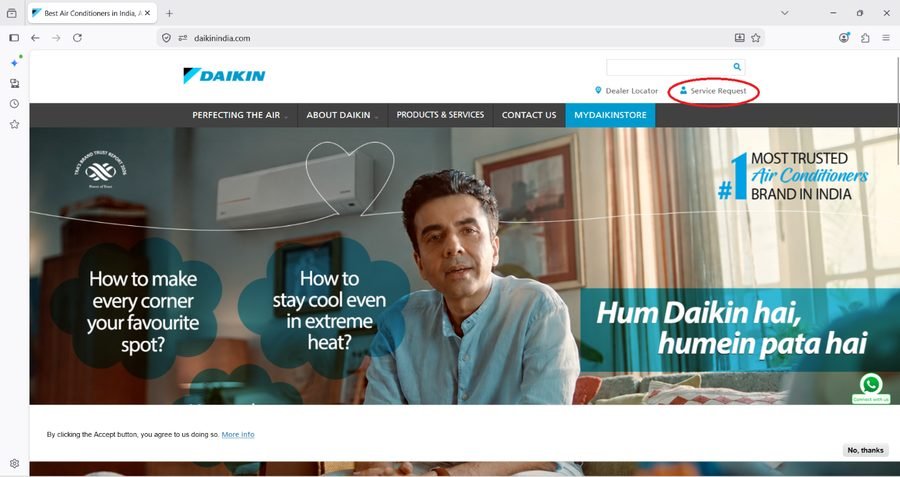
Go to daikinindia.com and click the Service Request link on the right side of the page.
2
Enter your mobile number
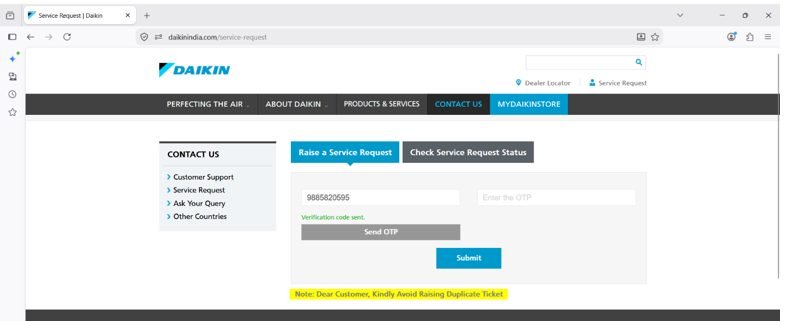
Enter your mobile number and click Send OTP. You'll receive an SMS with a one-time password on that number.
3
Verify the OTP
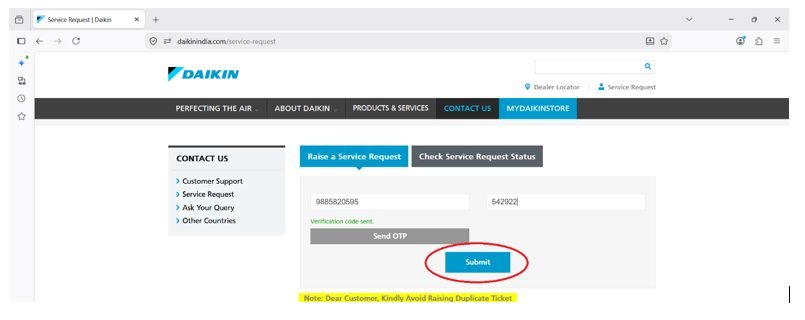
Enter the OTP you received and click Submit to validate it.
4
Select your product
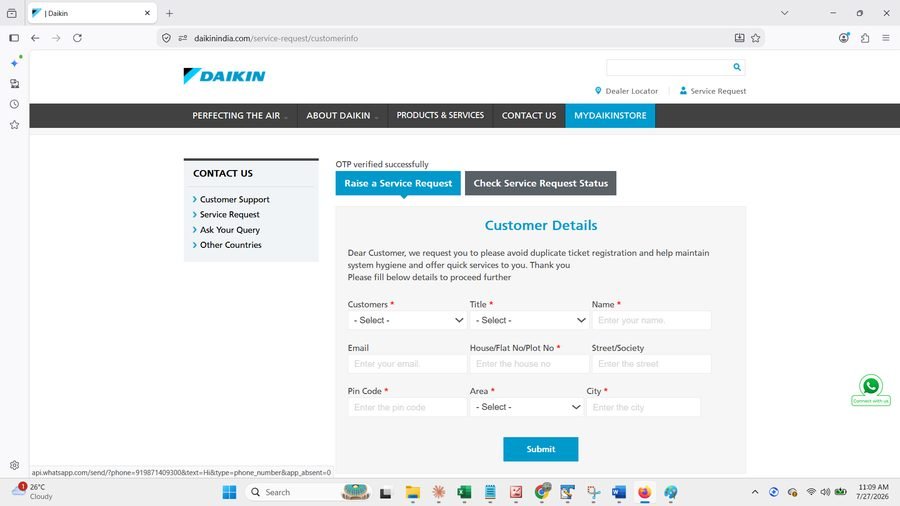
Once your OTP is verified, a list of products registered to your mobile number will appear. Choose the correct unit and continue.
5
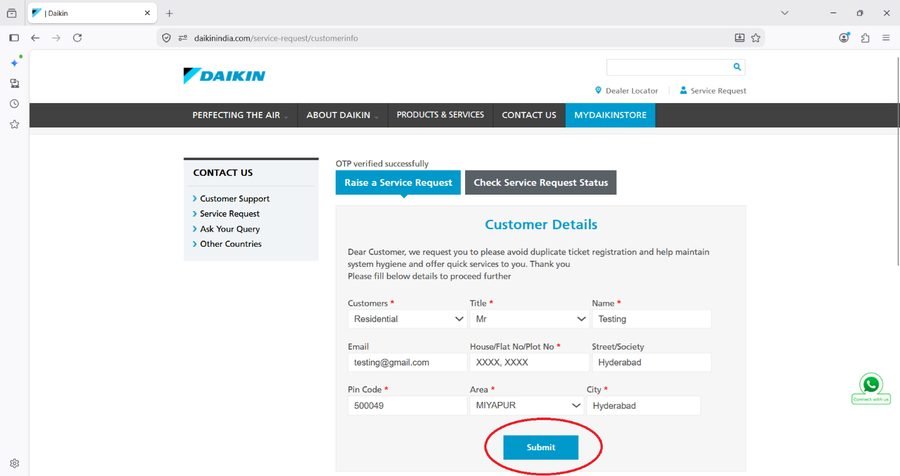
Enter your service request details
Fill in the details of the issue you're facing and click Submit.
6
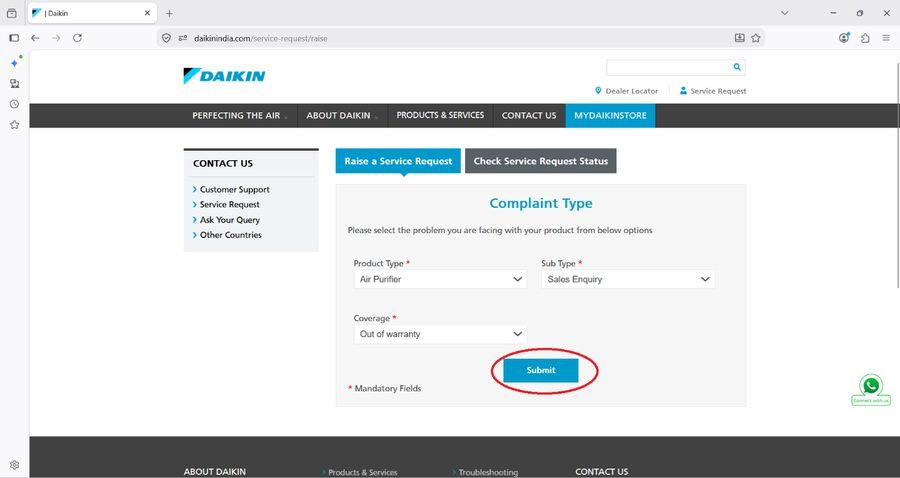
Confirm your product details
Enter any remaining product details requested and click Submit.
7
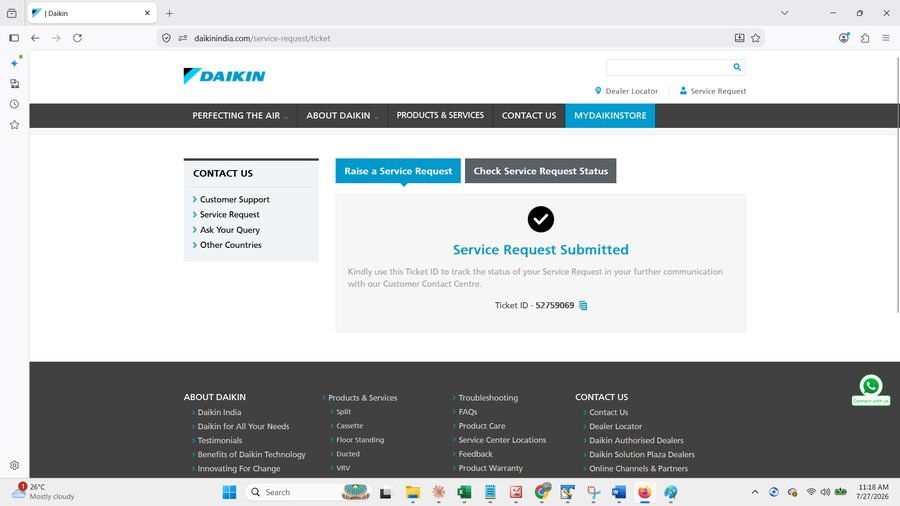
Request submitted
Your service request is now submitted directly to Daikin, who will follow up on your registered mobile number.
Still have a question?
If you're not sure whether your unit was purchased from us, or you'd rather just talk it through, we're happy to help either way.